

What Is a Storyboard in Video Production
A storyboard is the visual foundation of your entire project. It’s where ideas take shape, where scenes are visualized shot by shot, and where creativity meets structure. Whether you’re working on a marketing video, explainer video, or feature film, storyboarding helps you visualize exactly how your video will unfold long before production begins.
Think of it as your project’s roadmap guiding your team through the video creation process from concept to final video.
Understanding The Concept Of A Storyboard
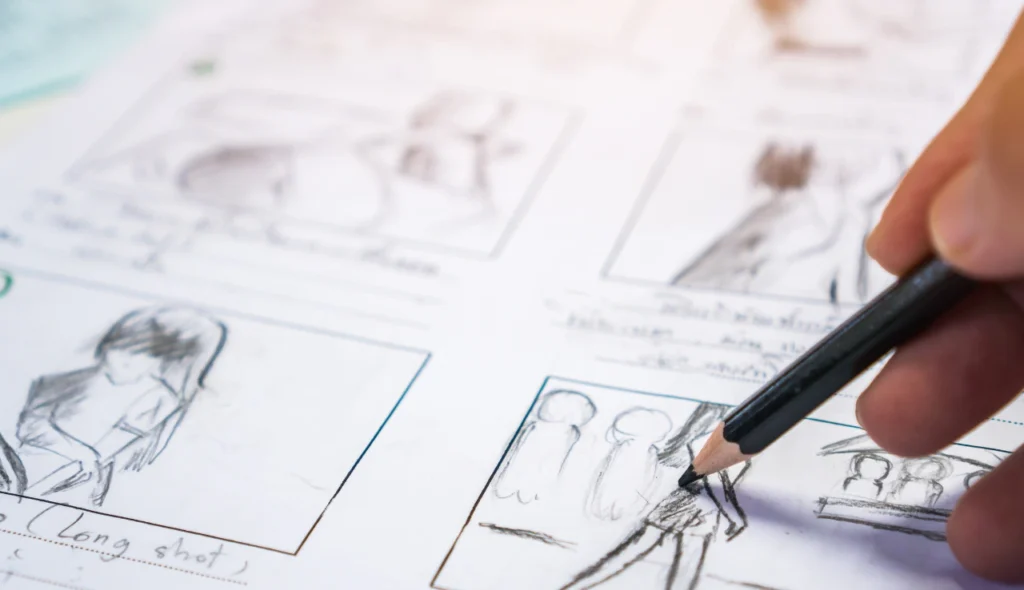
What is a storyboard in video production?
The storyboard is a visual outline of your video or a story told in illustrated frames demonstrating each shot, camera angle, and notable scene. Each frame outlines what will appear on screen, along with any notes regarding dialogue, transitions, or movement of the camera.
In short, a storyboard is the blueprint of every strong video. It serves as a visual representation of your story and is a means of communication for the production team ensuring everyone to be on the same page with look and flow.
Each frame is one or more sketches placed in order as a blueprint that creates a hard link between the ideas you have and what will be executed.
Why You Need A Storyboard For Your Video
Before you begin on your actual video production, it is important to have a clear idea of what you’re actually creating. A storyboard gives everyone who is part of the project a better understanding of the concept of your video.
Here are just some ways that drawing a storyboard can make your production easier:
- Clarifies Vision: A storyboard offers a visual take on your ideas and how you would like the final video to look.
- Improve Collaboration: The whole production team can visualize the project together, and communication is more likely to be a shared experience rather than falling victim to miscommunication.
- Saves Time & Money: Having visual representation of everything planned can ease the burden of large reshoots or expensive changes later.
- Improves Story Flow: A solid approach to storyboarding helps you animate a better story curve and create better pacing before you even dive into the video production.
- Easier Pre-production Process: Once you move past storyboarding the pre-production becomes streamlined and hopefully better organized.
The Storyboarding Process Explained
The storyboarding stage is where structure meets your creativity, and concept is translated into imagery to share, discuss, and improve. Here’s how to make a storyboard in five stages:
- Idea Development
Before doing any sketching, clarify your idea, and the video purposes. What story are you telling? Who is your audience? What emotions do you want them to feel? This defines your creative direction.
- Breakdown the Script
Break the script down into major scenes and moments. Each major beat in the script will eventually be represented with one or two frames.
- Sketch the Frames
This is the place where storyboarding begins. Draw something, even stick figures to illustrate the visual representation of each scene. Each frame should demonstrate all of the principal cues-cameras, character placements, scene transitions.
- Write Notes & Directions
Next to the drawings write notes indicating camera transitions, action, dialogue, sound effects, and timing. These notes are important for your crew when the production begins.
- Review & Refine
With your video storyboard, share it with your team, and get their feedback. Feedback at this stage will help you know if your visual ideas are in alignment with the concepts in the script without waiting for production.
Key Elements Of A Good Storyboard
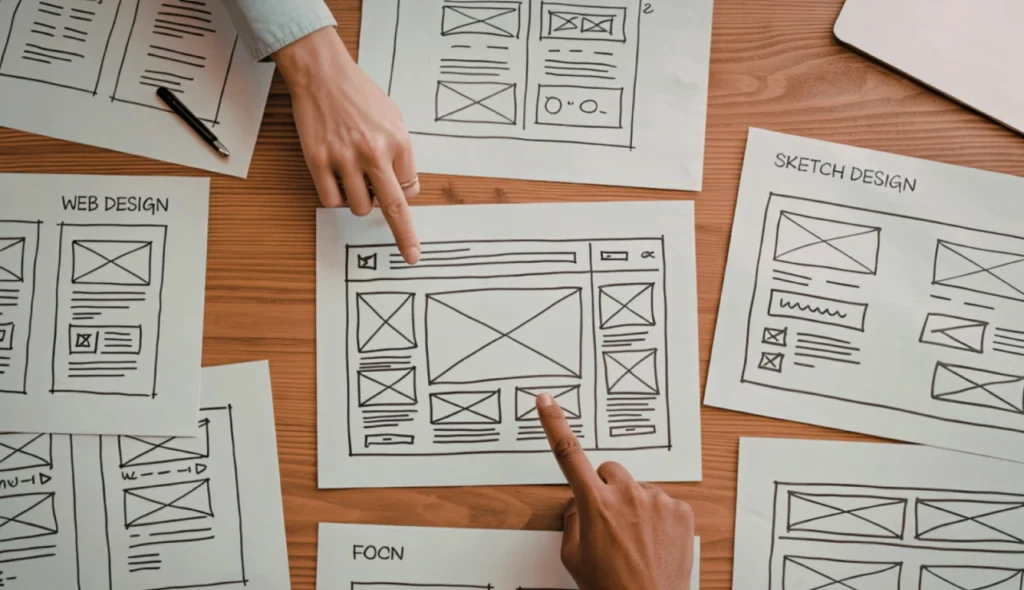
A storyboard conveys not only the content that will be presented but conveys how that material is represented onscreen, making it easier to visualize the video content. Below are the key components of a good storyboard so that everyone is on the same page:
- Storyboard Frames: Each frame represents a moment in the video; it may be a scene, a movement, or a transition.
- Visual Notes: This may include things like expressions, camera angles, or the environment that impacts the mood of the scene.
- Transitions: Cuts, fades, or dissolves illustrate how one scene will flow into another.
- Dialogue or Actions Notes: Lines or movements that are particularly important to the narrative should be reviewed.
- Timing: Include the approximate duration of each shot in order to plan for pacing when editing the video.
Different Types Of Storyboards
Not every video project requires the same approach to storyboarding. The following are the main types of storyboards you will generally use in video and film production.
- Traditional Storyboard: A traditional visual representation of a story, usually with drawings on paper or digital boards. Traditional storyboarding is great for creatively brainstorming story ideas.
- Thumbnail Storyboard: Sketches that quickly represent prospective storyboards and scenes. Thumbnail storyboards serve as an early placeholder drawing up the storyboard.
- Digital Storyboard: Using digital storyboarding software to create storyboards so that teams can instantaneously update the chapters, frames, or notes in the storyboard while moving along in the storyboard process.
- Animation Storyboard: This type of storyboard is used for animated pieces or explainer people projects, and provides an opportunity to show key poses and timing as a flow for animation.
- Photo Storyboard: A storyboard when real images or stills create visual scenes. Photo storyboards might be used in commercial photo shoots.
Creating A Storyboard: Step-By-Step
Are you prepared to launch into the storyboarding process for your next video project? Here’s the simplified activity sequence you can implement:
- Map Your Story: Write it out (in long-form) and identify the main scenes.
- Break Down into Shots: Break each scene down into shots, noting framing and camera angle.
- Sketch the Frame: Simple sketches are fine, or use a template. You could even start from zero and use a free storyboard template.
- Write Your Notations: Include descriptions of transitions, on-screen movement and dialogue cues.
- Review: Make adjustments to flow and pacing it’s much easier to see how the video will unfold visually.
Storyboard Examples And Templates
A storyboard example can illustrate the visual storytelling process. While some creators use elaborate drawings, most start off with basic boxes and notes.
Storyboard templates you will often find include:
- 3-frame: Perfect for a short video or explainer video.
- 6-frame: To use for product demonstrations or marketing videos.
- 9-frame: For storytelling needs or for longer scripts.
Whether you use a video storyboard design your own, the goal will be the same, to storyboard a video clearly so everyone is on the same page.
How Storyboards Support The Video Production Process
A storyboard aids in visualizing your ideas before filming begins, and it’s essential throughout pre-production and even filming.
Here is how:
- It gives an overview of shots, sequences, and transitions for your project.
- It simplifies production by minimizing confusion and time on set.
- It keeps the production team aligned with your visual language.
- It keeps your storytelling intact.
- It assures your edited video is true to what you wanted to create.
During the production process, the storyboard guarantees that the video you edit retains your creative premise.
Using Storyboarding Software
Digital tools are accelerating and facilitating the process of storyboarding in today’s video creation context. Storyboarding software gives you the ability to drag, drop, sketch, and move frames seamlessly.
Popular tools also provide built-in templates, camera angles, and timing to assist in the study of the storyboarding process. Whether you’re producing an animation storyboard or planning out a marketing video, software tools can make the process more collaborative and easier to execute.
Creating even a rough storyboard can completely change the way a production team communicates with each other.
Conclusion
If you are willing to know what is a storyboard in video production? A storyboard is a necessary part of the video production process, acting as both a visualization and framework for storytelling in a video. It helps everyone, from scriptwriters to editors, stay on the same page. The storyboard ensures all scenes, transitions, and emotions have been considered planning to convert ideas to meaningful stories in a video.
Are you ready to bring your concept ideas to life? Start making your video project with a proper storyboard, as every great video starts with a shared visual plan. Contact us to find out how Amigoz helps creatives or brands participate in visualizing their stories, before production begins.
FAQs
1. Why Is Storyboarding Vital In Creating Video Projects?
Storyboard is a visual representation of the video while you are pre-production. It helps ensure the entire production team is on the same page, and it will help avoid mistakes and save time later in the production.
2. How Detailed Should My Storyboard Be?
It depends on the video project. Some creators start with frames for their storyboard with notes while others prefer something more like a quick sketch. The key is to make sure it represents what is in your head and is clear.
3. Can I Create A Storyboard If I Am Not An Artist?
Of course! You can create a storyboard using stick figures or even photographs. Storyboarding is about communication, not about being an artist.